
Stop building stores.
Just sell the file.
The fastest way to add a "Buy Now" button to your blog, website, or social bio. Upload a file, get a Paydroply link, and let us handle the payment and download. No setup, no monthly fees.
Why Paydroply?
Everything you need to launch faster, sell with confidence, and keep customers coming back.
Free to use
No monthly fees. No credit card required. You only pay a small commission when you sell: typically 2.9% + 1.30$.
No storefront required
You don't need a catalog, a cart, or a theme. Just a link to buy a file.
Works with your existing site
Perfect for WordPress, Ghost, Framer, or even just a DM.
Zero bloat
We don't own your customers or force them to create an account. They pay, they download. Done.
Instant setup for you
A guided onboarding that takes just a few minutes. Start selling immediately.
Customers never lose their files
Lost connection after paying? No problem: buyers also get an email. You also get a dedicated web page to let them re-download any past purchase.
How it works
Three simple steps. No setup, no complexity.
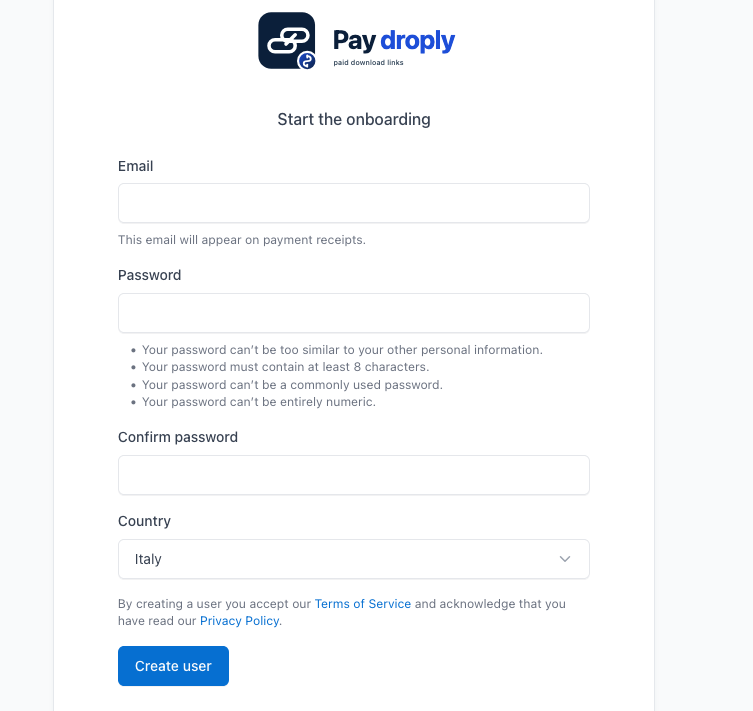
Create your account
Follow a short, guided onboarding. You'll be ready in minutes.
Create a payment link
Upload your file, set the price, and generate your link.
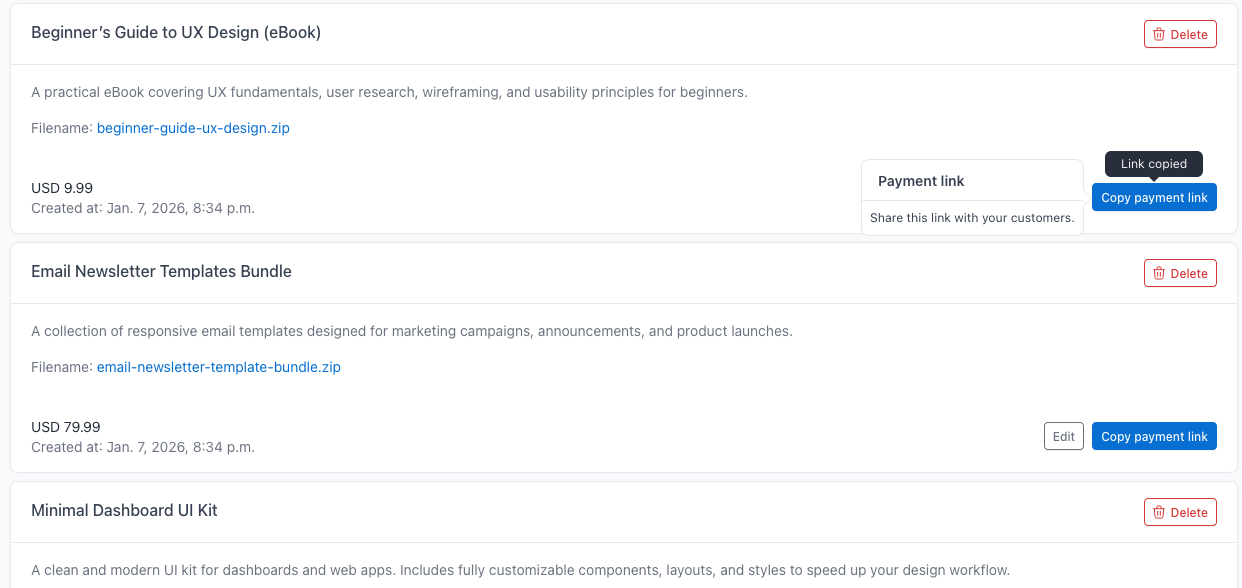
Get paid
Share the link on your website, blog, or social media and start earning.
Compare
See why Paydroply is the smartest choice for selling digital files.
| Feature | Other Platforms (e.g. Gumroad) | Stripe (Direct) | Paydroply |
|---|---|---|---|
| Setup time | Hours / Days | Minutes | 5 Minutes |
| Monthly fee |
$0 – $39
(+ very high commissions, e.g. 10% to 30%) |
$0
(only small transaction fees, even smaller than Paydroply) |
$0
(only small transaction fees) |
| File Protection | Integrated | No, public Link (e.g., GDrive) | Secure Paywall |
| Learning curve | High | Low | Zero |
| Email after purchase | Yes | No | Yes |
| Past purchases download page | Yes | No | Yes |
| Ideal for | Full collections | General Payments | Digital files & assets |
No friction. No commitment.
We built Paydroply to get out of your way, so you can focus on creating.
Free to use.
No monthly fees. No credit card required. We only keep a small fee on each transaction (typically 2.9% + 1.30$).
No store to build.
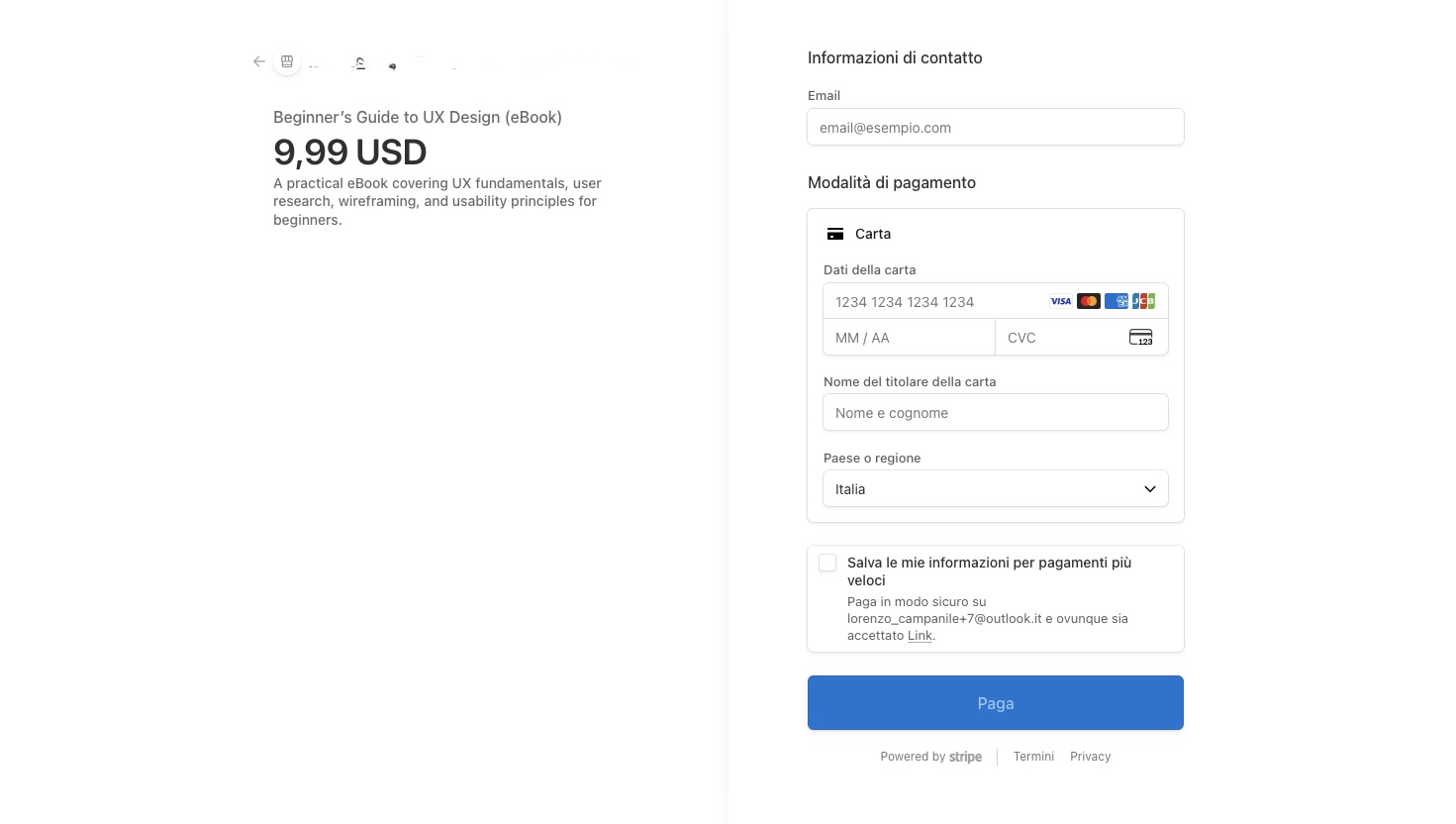
Just a file and a link. Your customer pays via a secure link and gets the download link right away.
No setup, no learning curve.
If you can upload a file, you can use Paydroply.
Use it only when you need it.
No long-term decisions required.
Start in minutes.
From signup to your first link in a few steps.
Secure.
All payments are securely handled via Stripe Connect, the global industry leader in online payments.
Frequently Asked Questions
Got questions? We've got answers.