

Stripe is the gold standard for payments, but it’s a processor, not a file host. When a customer hits that “Pay” button, Stripe doesn’t automatically hand over your PDF or ZIP. You’re responsible for the fulfillment.
If you want to sell digital products with Stripe, you have to bridge the gap between the checkout and the download. Here are the four ways to do it, ranging from manual hacks to full automation.
1. The Manual Redirect (free, but unsecured)
You can use Stripe Payment Links for this. In the “After Payment” settings, you set a redirect URL.
The Workflow: After buying, the customer is sent to a hidden page on your site or a Google Drive link.
The Catch: This approach has several drawbacks.
First, it feels unprofessional. A customer just trusted you with their credit card, and they land on… a raw Google Drive link? That moment right after payment is when trust is either reinforced or broken, and a bare file-hosting link doesn’t exactly inspire confidence.
Second, delivery is fragile. If the customer loses connection right after payment — especially on mobile — they lose the download link entirely. There’s no confirmation email, no fallback. They paid and got nothing. A dedicated platform sends an email as soon as the payment is confirmed, so the customer always has a way to access what they bought.
Third, there’s no way to re-download. What if they switch devices, or accidentally delete the file? A good platform gives customers a page where they can access their purchased items again at any time.
And finally, it doesn’t protect your files. One person buys it, shares the link, and suddenly everyone has access. You always have a public link pointing to your file.
You might think that a user could just share the downloaded file anyway. You’re not wrong, but it’s more nuanced than that. If a user were to infringe on your property and host a download link themselves:
- It requires more effort on their part.
- There is an account you can report (e.g., if it’s a link on Google Drive or Mediafire).
Avoiding a public download link is very simple, free (as we’ll see below), and adds an extra layer of security.
2. Custom Webhooks (the coder’s Route)
If you know how to write code, you can build a delivery system from scratch to accept payments for digital goods.
The Workflow: You write a script to listen for the checkout.session.completed event via Stripe webhooks. When the payment clears, your server triggers an email or generates a link.
The Catch: You have to manage the server and the code. If your webhook script goes down, the customer doesn’t get their file, and your inbox fills up with refund requests.
3. Zapier or Make (The “Glue” Method)
You can use a third-party automation tool to connect Stripe to your storage or email provider.
The Workflow: You set up a trigger on a Stripe sale. It then tells Mailchimp to send the file.
The Catch: It’s a puzzle, with several steps. You’ll pay for Stripe fees, plus a monthly Zapier subscription, plus file hosting fees. It’s not exactly cheap (even if you end up selling nothing) and it’s cumbersome.
4. Paydroply (free, the integrated layer)
For those who want to sell digital downloads with Stripe and no code, Paydroply is just the simplest choice (and it’s still cheap).
The Workflow: You upload the file once. Paydroply handles the Stripe integration and the secure delivery automatically.
The Benefit: It’s built for this specific job. It includes features to prevent link sharing by using session-bound download pages. Customers receive a confirmation email as soon as payment goes through, so they never risk losing access — even if they lose connection right after checkout. And if they need the file again later, they can re-download it anytime from a dedicated page. There are no monthly subscriptions: you only pay a small fee when you make a sale.
How to use Paydroply to automate your file delivery
If you’d rather spend your time creating than fixing broken webhooks, here is the process.
Step 1: Create your account on Paydroply
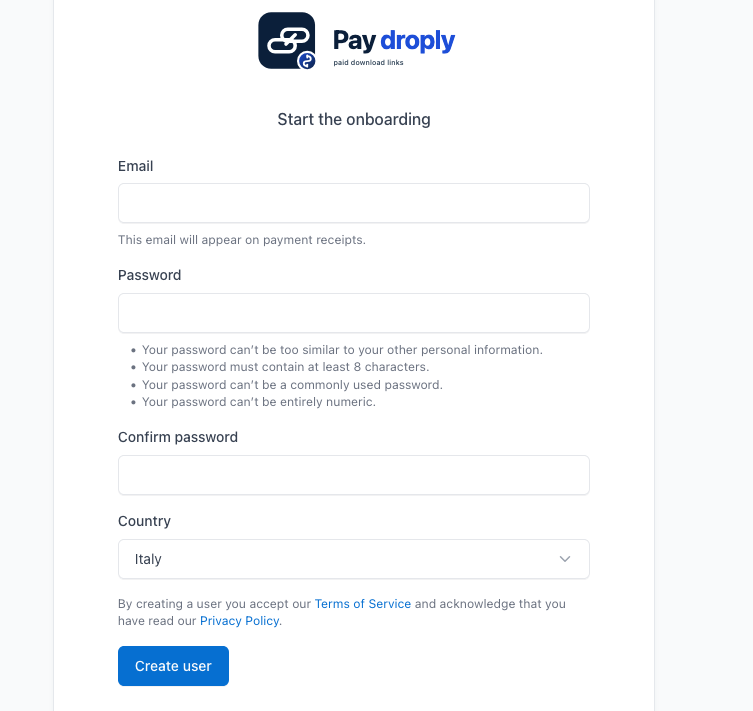
Paydroply uses Stripe Connect. This means the money goes straight to your Stripe balance. You aren’t storing funds in a third-party platform. You own the customer relationship. Create your account.
Step 2: Upload and Protect your File
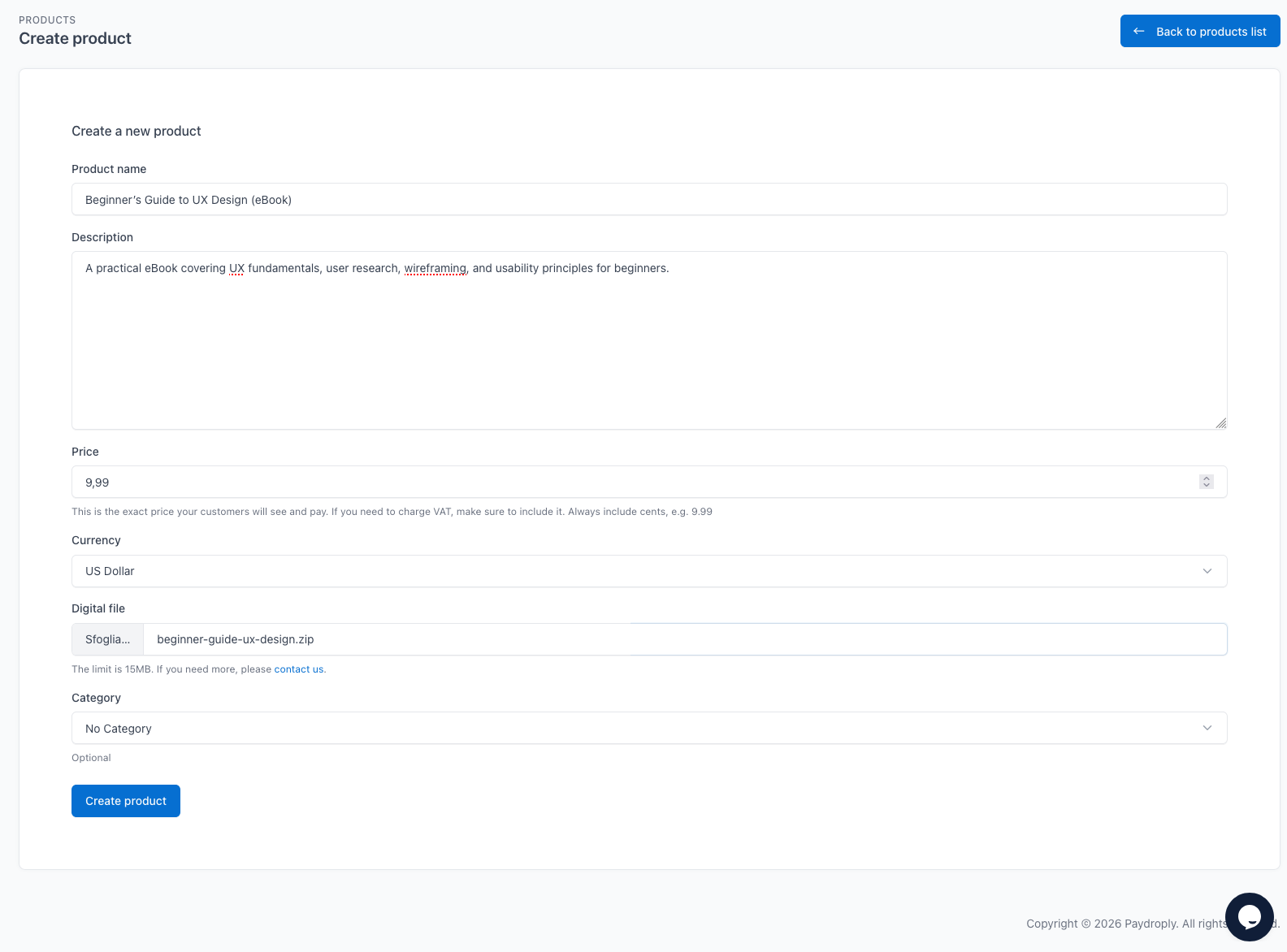
Create the product and upload the asset to the dashboard. Paydroply acts as the secure host for the file.
Step 3: Share your Link
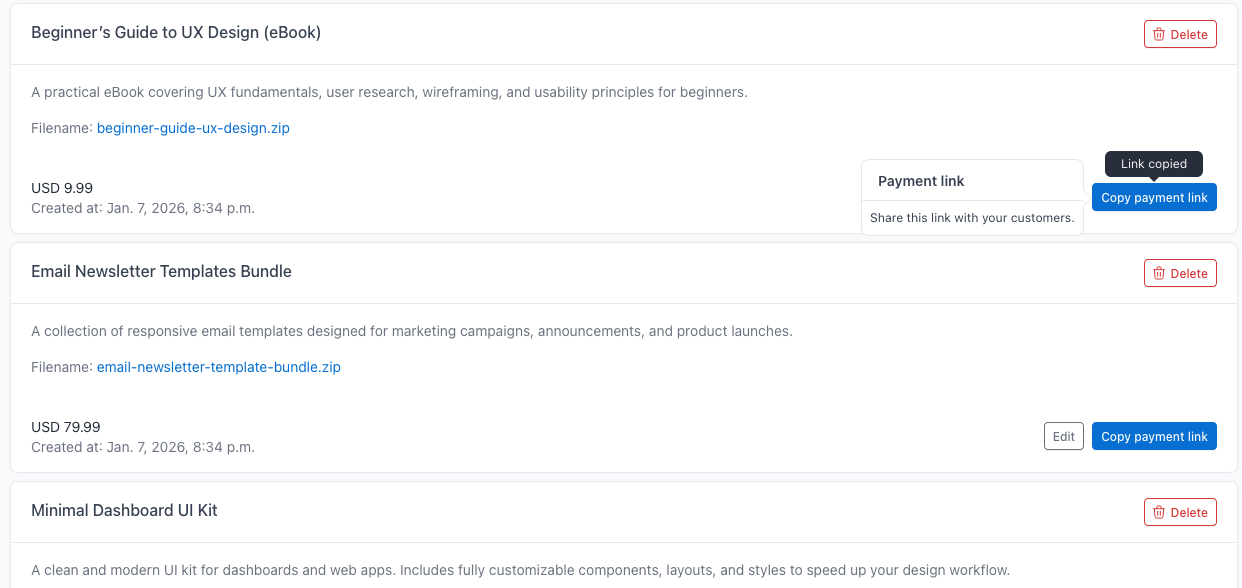
After the upload, you get a unique URL.
- Drop it into a button on WordPress or Framer.
- Put it in your Instagram bio.
- Send it in a DM.
The moment the payment is finished, the customer is sent to a secure page to download the file. It’s instant.